Recreating Resource Document Structures
Developer API
Each section of the Resources has a root document. This root document is the overall container for that section and will have a document tree under it built with parent / child relationships. Each document returned by the API will include its parent id and children documents in the response.
- To start, select the root document id of whichever resource section you want to build. The root document id of a resource section can be found in the URL of any section you select in the Resources part of the application
- For example – when navigating to the CFR section in the application, the URL will be – https://pro.compliance.ai/resources?citation_selected_id=7561578
- The root document id = 1917019 for CFRs, and the API request will be: https://api.compliance.ai/v1/search?doc_id=7561578
- The API request made in step 1 will return a response that includes “children” documents details
- In our example for CFRs, these children documents will be all the CFR Titles
- Next, we will pick one of the child document id and make another call request
- In this case, let’s pick Title 12 (doc id = 7561870) https://api.compliance.ai/v1/search?doc_id=7561870
- Again, the API request made in step 3 will return a response that includes “children” documents details and also the parent id = 7561578
- In our example for Title 12, these children documents will be all its chapters
- Repeat the process from Step 3-4 down and across the branches to get the full navigation
Additionally, there is an attribute called “document_location” that is available for certain document types and it provides the full hierarchical structure above that document. It is currently available for the following:
‘Admin Code’, ‘CFR’, ‘State Code’, ‘Statute’,’US Code’, ‘US Public Law’, ‘Admin Code Navigation’, ‘CFR Navigation’, ‘State Code Navigation’, ‘Statute Navigation’, ‘US Code Navigation’, ‘US Public Law Navigation’
- As an example, pick any document that is one of the document types mentioned above.
- In this case, let’s pick Title 12 (doc id = 7561870) https://pro.compliance.ai/resources?citation_selected_id=7561578&summary_id=7561870&summary_page=summary
- The response will include the “document_location” attribute and information on the hierarchical structure:
Recreating Resource Documents Structure using the Application
We can also export Regulations from the Resources Section of Compliance.ai application. Follow the steps below to get your own export. We are using Regulation B as an example:
1. Navigate: Resources> CFR> Title 12-Banks and Banking> CHAPTER II-FEDERAL RESERVE SYSTEM> SUBCHAPTER A-BOARD OF GOVERNORS OF THE FEDERAL RESERVE SYSTEM> PART 202-EQUAL CREDIT OPPORTUNITY ACT (REGULATION B)
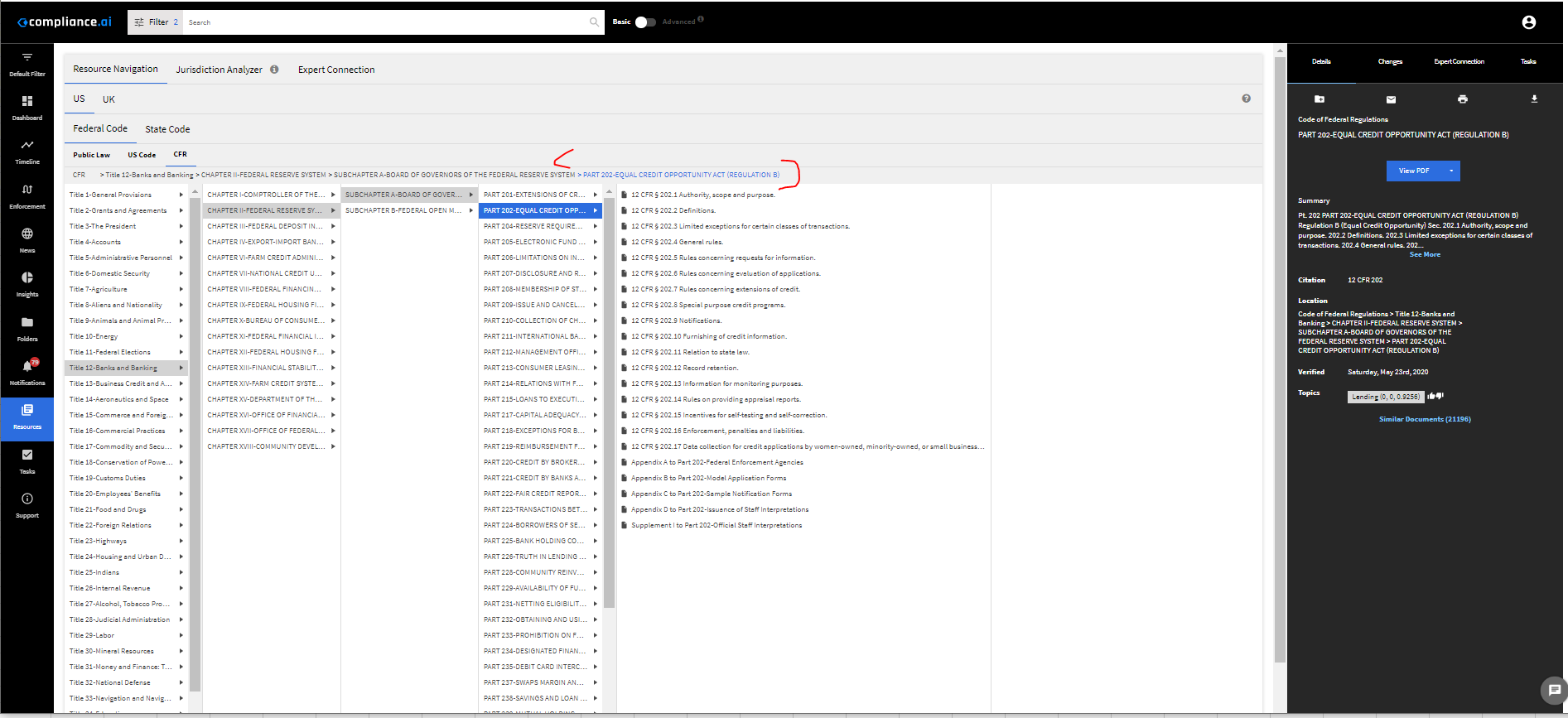
2. Click on the highlighted in blue in the application – PART 202-EQUAL CREDIT OPPORTUNITY ACT (REGULATION B)
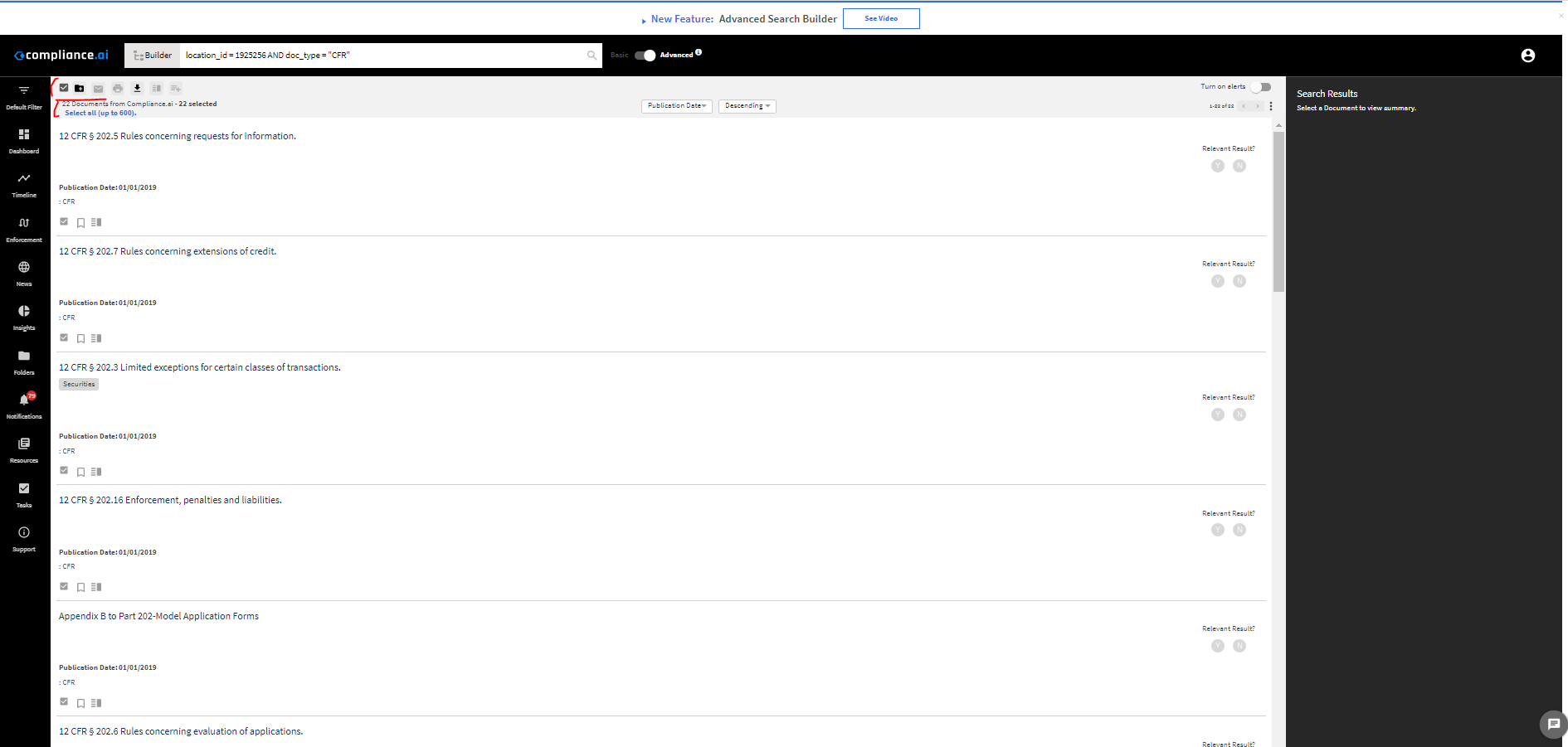
3. We have two options to export all the documents for Regulation B<
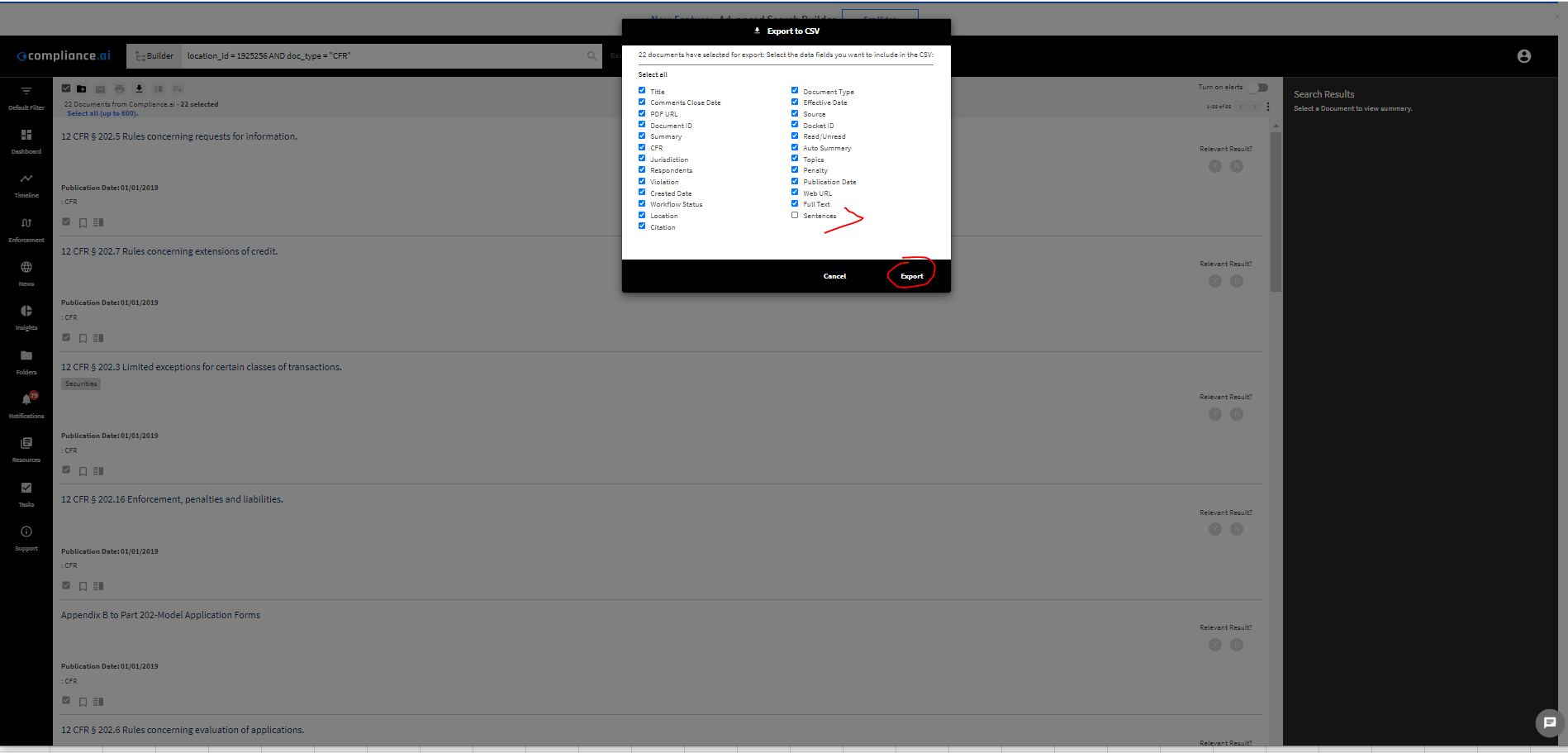
a. Option 1 – export without Sentences
i. Leave Sentences option unchecked in Export module
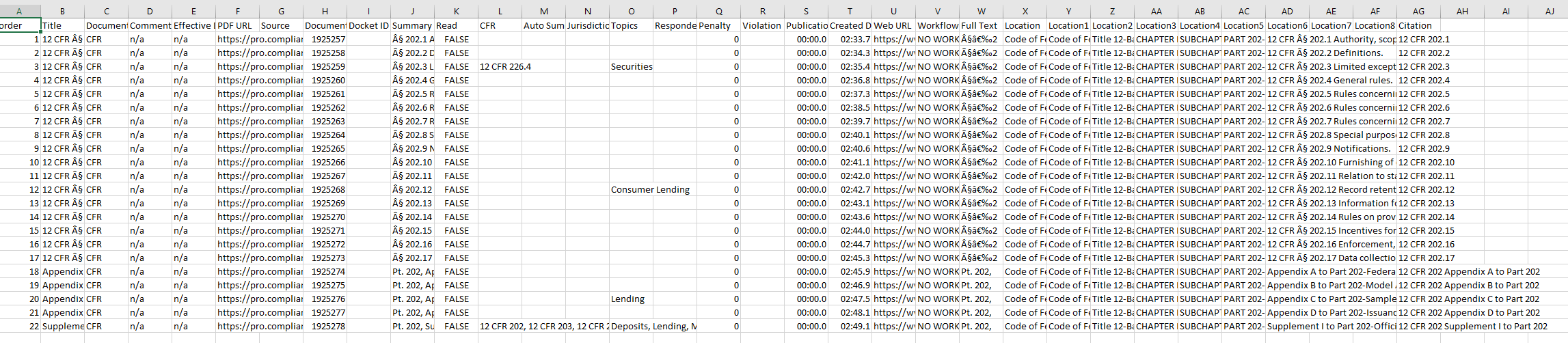
ii. Excel output (Compliance_ai_Export2022-06-02) with Sentence Option Unchecked
b. Option 2 – export with sentences
i. Choose Sentences option in Export module
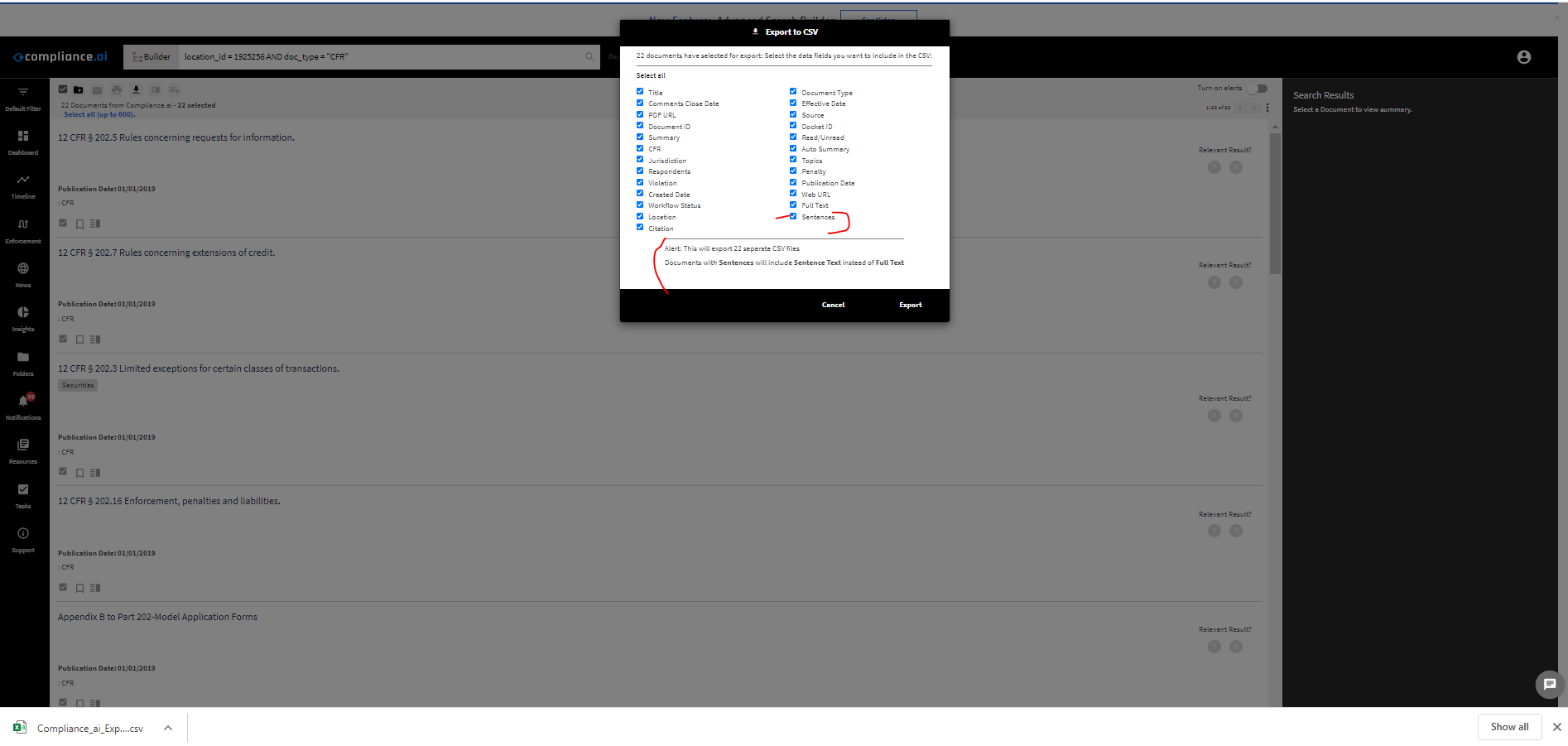
ii. Export Zip file (Compliance_ai_Export2022-03-02.zip) For the 20 documents selected with sentences
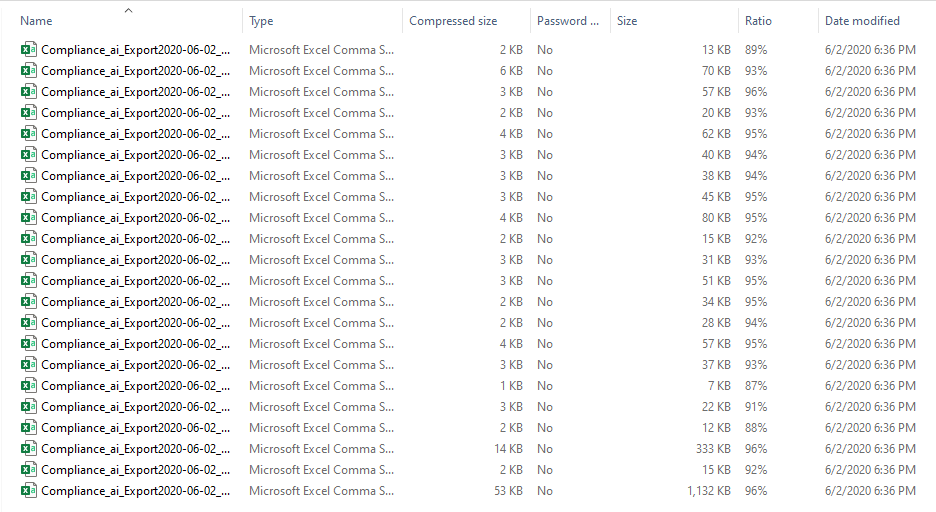
iii. Excel Export output of the sentencified document (see attached)
API Calls Error Handling
The Compliance.ai API provides various endpoints. Sometimes, when using the APIs, you may receive specific error messages in the response data. This document provides insights into the meaning of the error codes, the potential impact and resolutions that can be applied.
| Error Code | 403 |
| Status Code | 403 Forbidden |
| Response Header (Sample) | HTTP Status Code: 403 Forbidden
Date: Thu, 15 June 2023 19:47:15 GMT Content-Type: text/xml Content-Length: 28 Connection: keep-alive X-Plan-Qps-Allotted: 5 X-Plan-Qps-Current: 1 X-Plan-Quota-Allotted: 2 X-Plan-Quota-Current: 33 X-Plan-Quota-Reset: Friday, June 16, 2023 12:00:00 AM GMT X-Error-Detail-Header: Account Over Rate Limit X-Mashery-Error-Code: ERR_403_DEVELOPER_OVER_RATE |
| Response Body | <h1>Developer Over Rate</h1> |
| Description | Receiving the 403 Forbidden error with the message “Developer Over Rate” indicates that the associated API key / token has exceeded the provisioned rate limit for API requests. Compliance.ai imposes certain limits on the number of requests associated with specific API keys over specific timeframes. These restrictions are based on performance requirements and the associated API key’s licensing requirements |
| Impact | Exceeding the rate limit results in the API rejecting further requests until the rate limit resets. In this scenario, this endpoint has been called 33 times when the rate limit is only 2 per day. The API will reject subsequent requests until the rate limit is reset. |
| Resolution |
|
| Error Code | 504 |
| Status Code | 504 Gateway Timeout |
| Response Header (Sample) | Date: Fri, 16 June 2023 20:37:25 GMT
Content-Type: text/xml Content-Length: 24 Connection: keep-alive X-Plan-Qps-Allotted: 1 X-Plan-Qps-Current: 2 X-Plan-Quota-Allotted: 5000 X-Plan-Quota-Current: 57 X-Plan-Quota-Reset: Saturday, June 17, 2023 12:00:00 AM GMT X-Mashery-Error-Code: ERR_504_GATEWAY_TIMEOUT |
| Response Body | <h1>Gateway Timeout</h1> |
| Description | Receiving a “Gateway Timeout” error implies that the API key or token you are using has reached its limit regarding the number of requests it can make within a given timeframe. |
| Impact | Your API calls will not be processed successfully and may result in errors or incomplete responses. If your application heavily relies on the API, the error can disrupt service or functionality. In this scenario, this endpoint has been called twice a second when the Throttle limit is one call per second. |
| Resolution |
|
| Error Code | 401 |
| Status Code | 401 Unauthorized |
| Response Header (Sample) | Date: Fri, 16 June 2023 19:56:54 GMT
Content-Type: text/xml Content-Length: 27 Connection: keep-alive Www-Authenticate: Bearer realm=”api.compliance.ai”, error=”invalid_token” X-Error-Detail-Header: Account Inactive X-Mashery-Error-Code: ERR_403_DEVELOPER_INACTIVE |
| Response Body | <h1>Developer Inactive</h1> |
| Description | The 401 Unauthorized error indicates that the request lacks valid authentication credentials or the provided credentials are invalid. In this case, the response includes the header “Www-Authenticate” with the value “Bearer realm= “api.compliance.ai”, error= “invalid_token” to indicate that the bearer token used for authentication is either missing or invalid. The response body “<h1>Developer Inactive</h1>” provides additional information, specifying that the developer associated with the token is inactive. |
| Impact |
|
| Resolution |
|